Română
Glyph - Markdown Editor
Glyph opens any markdown file on your disk as a formatted page you can type on, with no vault to set up. It also reads PDFs and EPUB books, and it can bring a folder of notes to your phone. I built it for the pile of .md files my research produces, then published it on GitHub under the MIT license.
VIEW ON GITHUB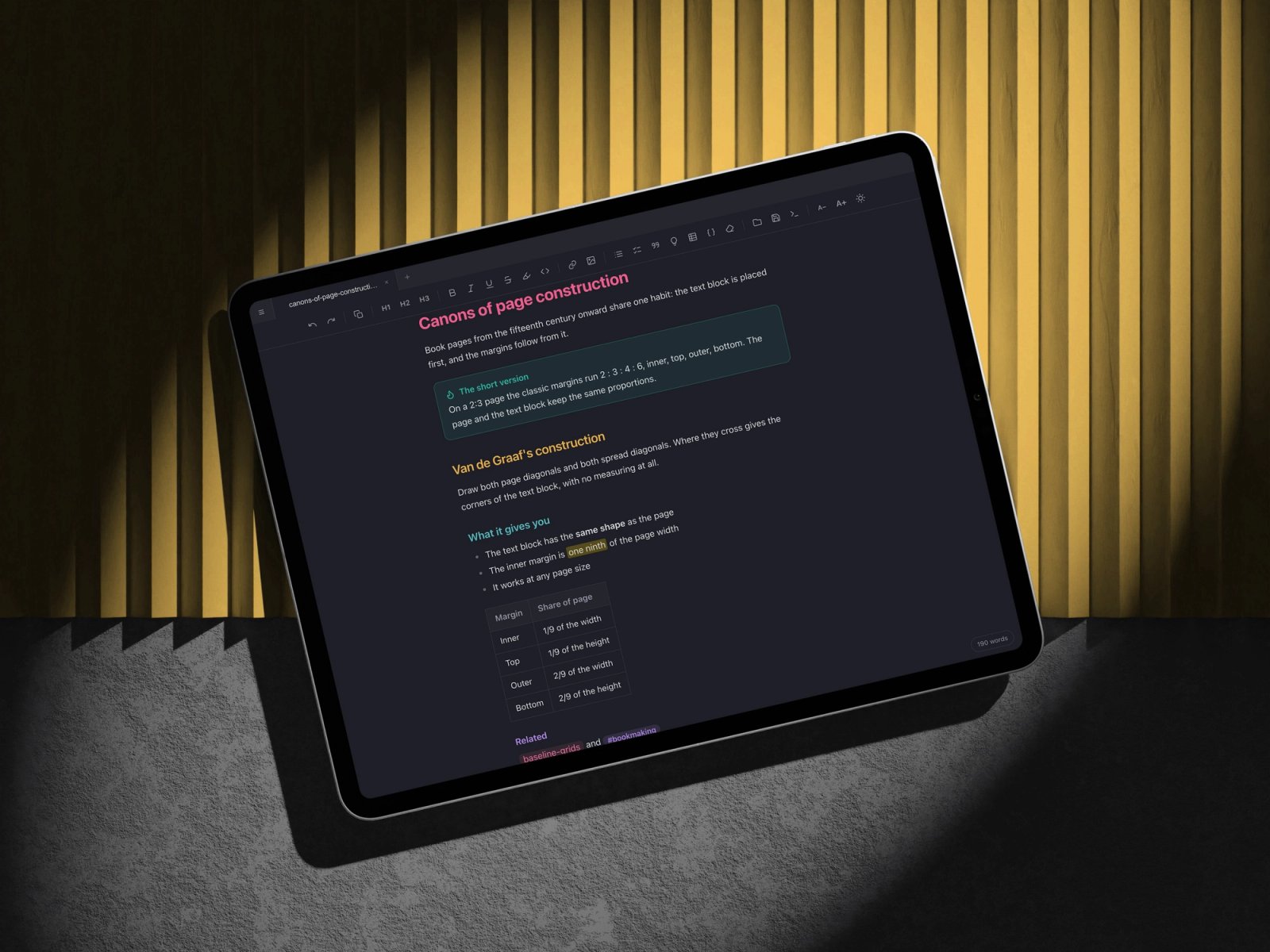
Thousands of files nothing opens properly
AI tools produce markdown by the pile. My archive holds over 57,000 files, and thousands of them live outside any Obsidian vault: READMEs, stray notes, project documents. A text editor shows the raw asterisks, and a vault wants every file moved in first.
An editor that respects the file
Double-click any markdown file and it opens as a formatted page you can type on, while the file updates underneath. Before you edit, Glyph checks that a save would keep every word. A file it can't write back whole stays read-only on the page and editable in the raw view, so nothing you wrote gets lost.
Research & Definition
- 01Started from my own archive: what files I have, how many live outside a vault, what syntax they actually use.
- 02Built the native Mac app with nothing but Apple's command line tools.
- 03Measured saving on 264 of my real files, then added a guard for the ones that can't come back whole.
- 04Treated every note as untrusted input, with a test suite of hostile files.
- 05Ported one interface to Windows, Linux, the browser and the phone.
- 06Added PDFs and EPUB books, and published everything on GitHub under MIT.
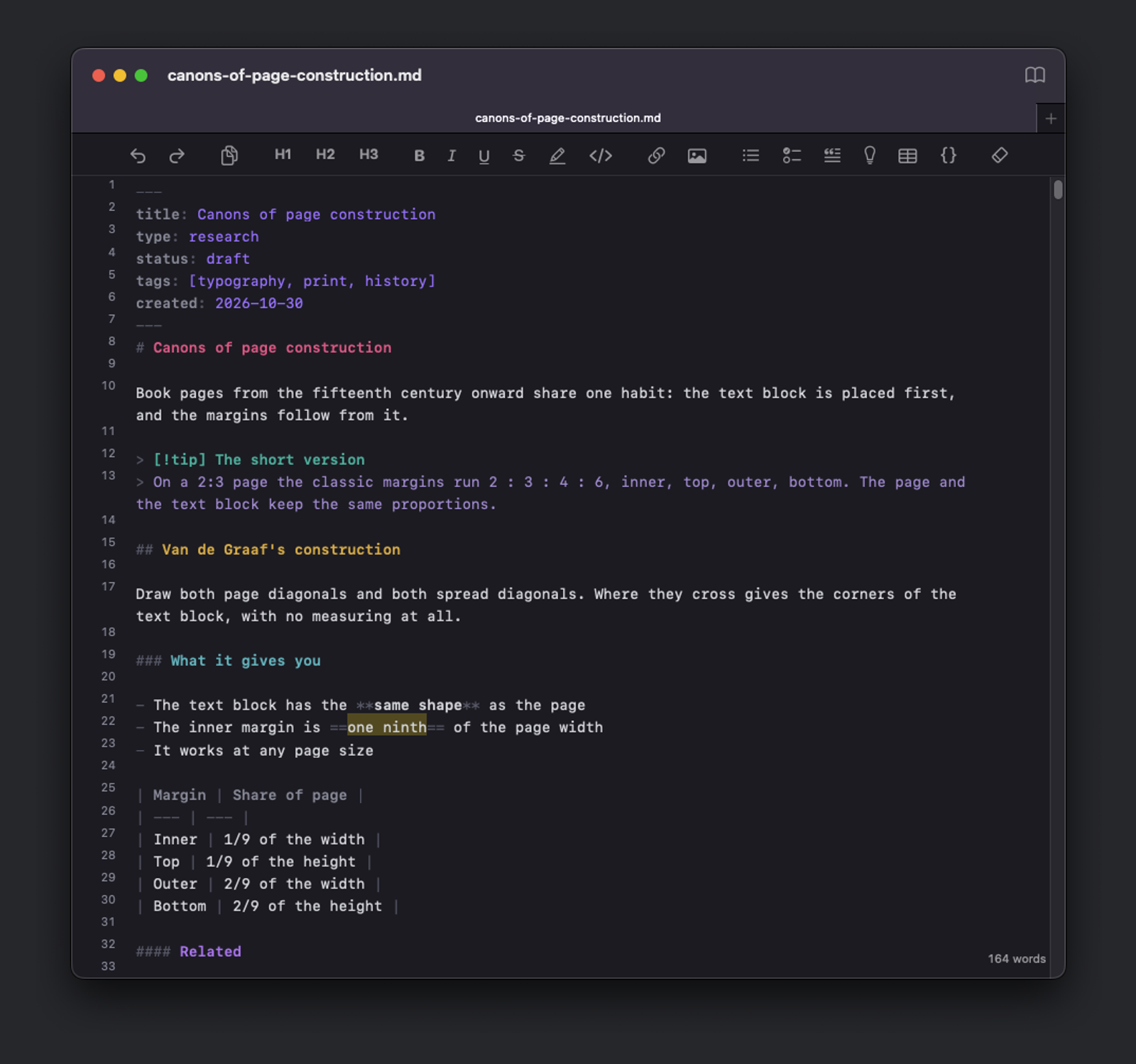
The Mac's system font, so the app feels at home because it is native.
Code blocks and the raw view, where the file shows exactly as it sits on disk.
The formatted page is the editor
Click anywhere and type. A heading takes its color the moment you write ##, a checklist appears at - [ ], and bold and highlights form as you close them, while the markdown file updates underneath. One click flips to the plain text whenever you want it.
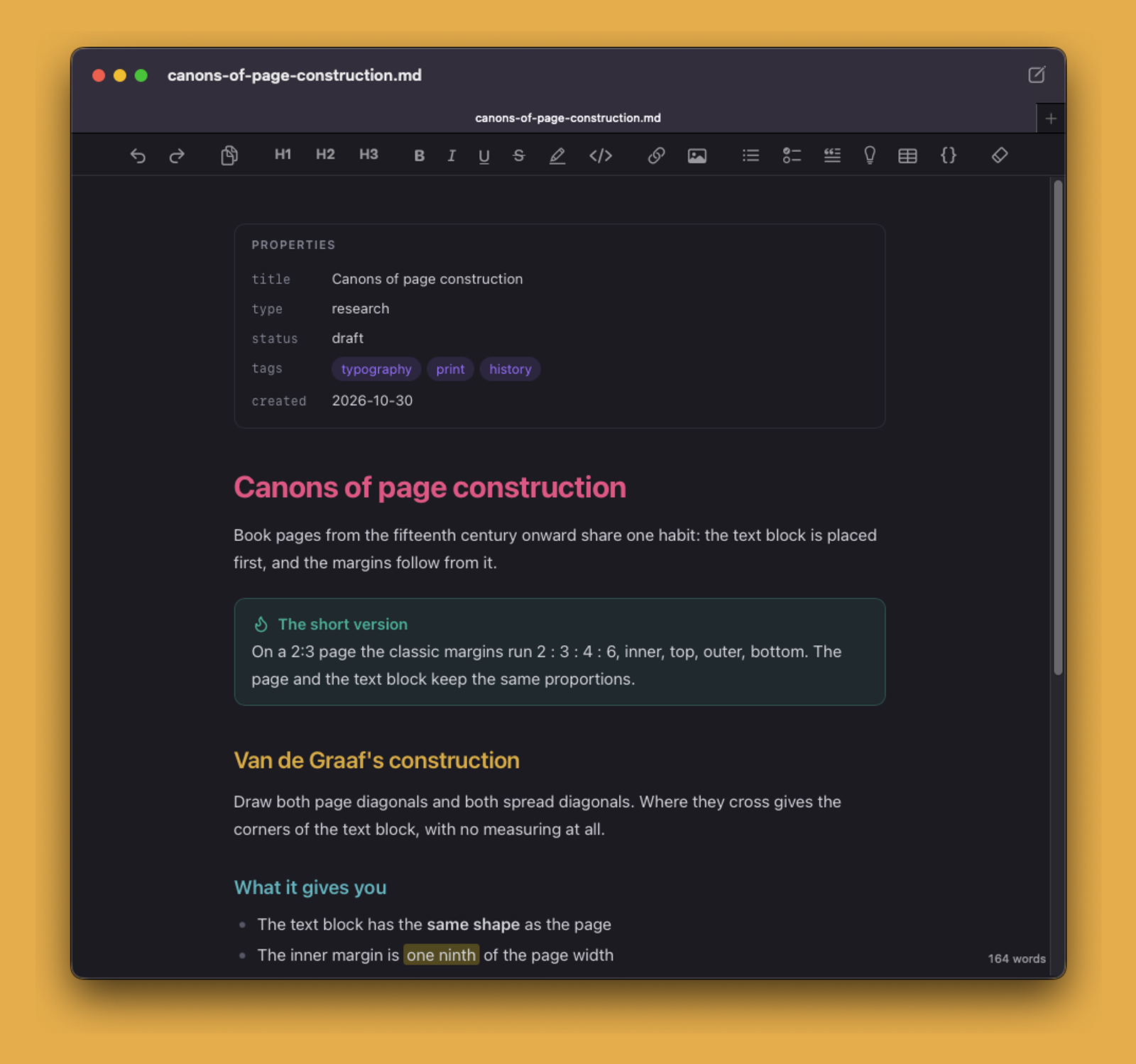
A Mac app the size of a photo
2.3 MB, built with Apple's own tools, so it launches instantly. Every file opens as a tab in one window. Headings run rose, gold, teal and lavender so a long document reads like a map, and the raw view keeps the same colors, with line numbers.
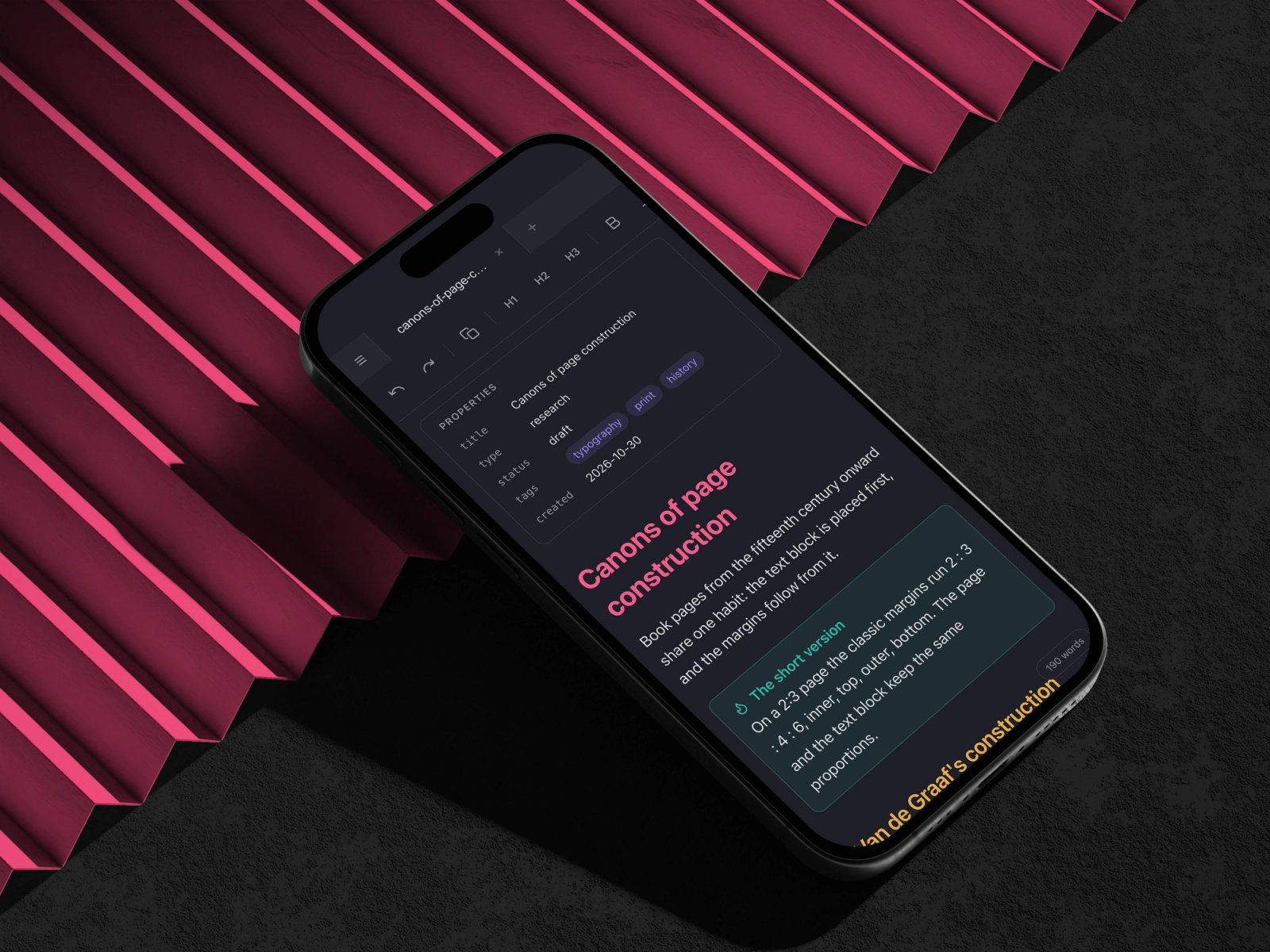
Your notes, on your phone
A small server on your computer brings a folder of notes to your phone, with the full editor and a folder tree. There is one copy of every file, so an edit on the phone is already on disk, and the app sits on your home screen with its own icon.
PDFs and books in the same window
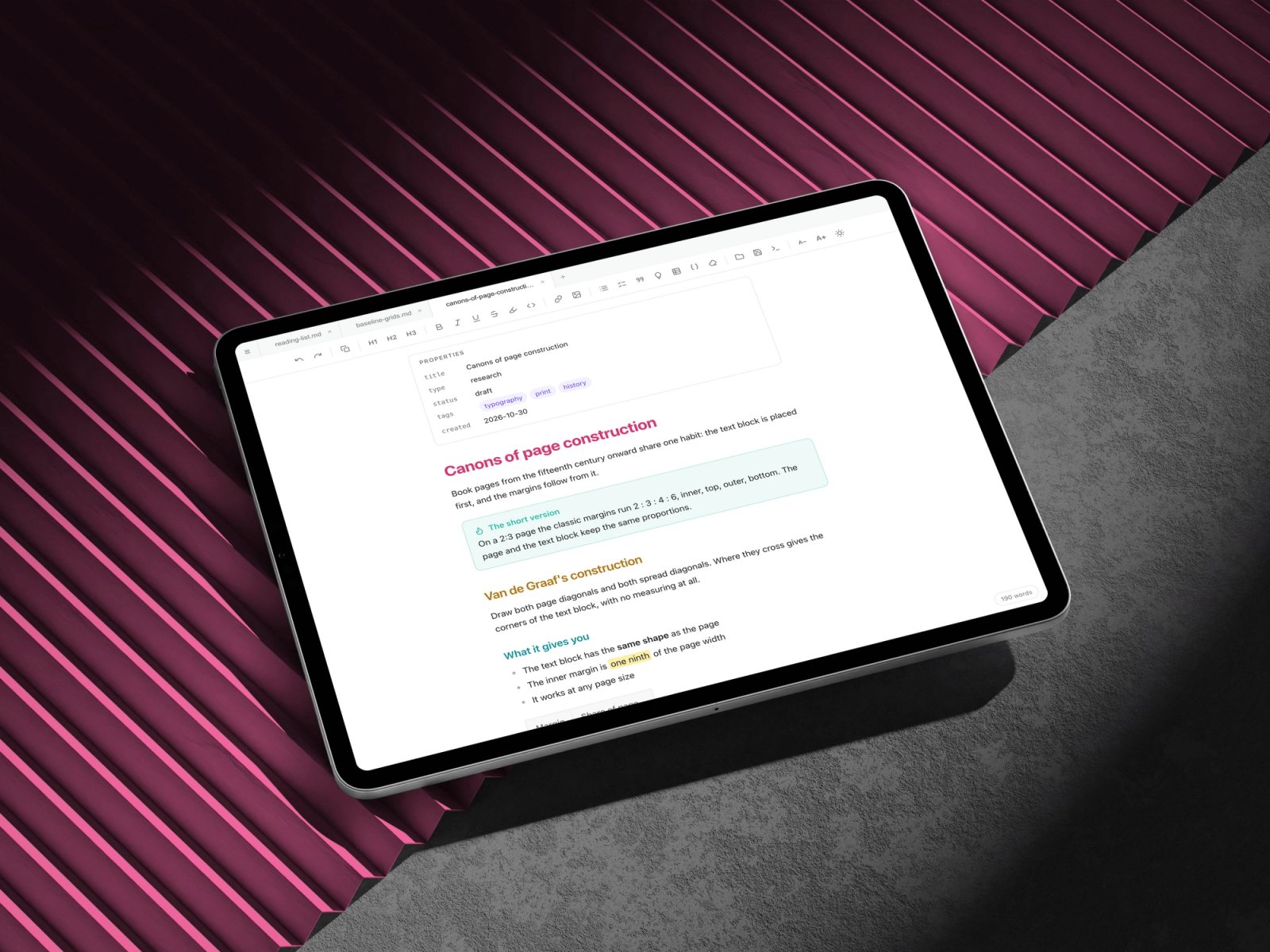
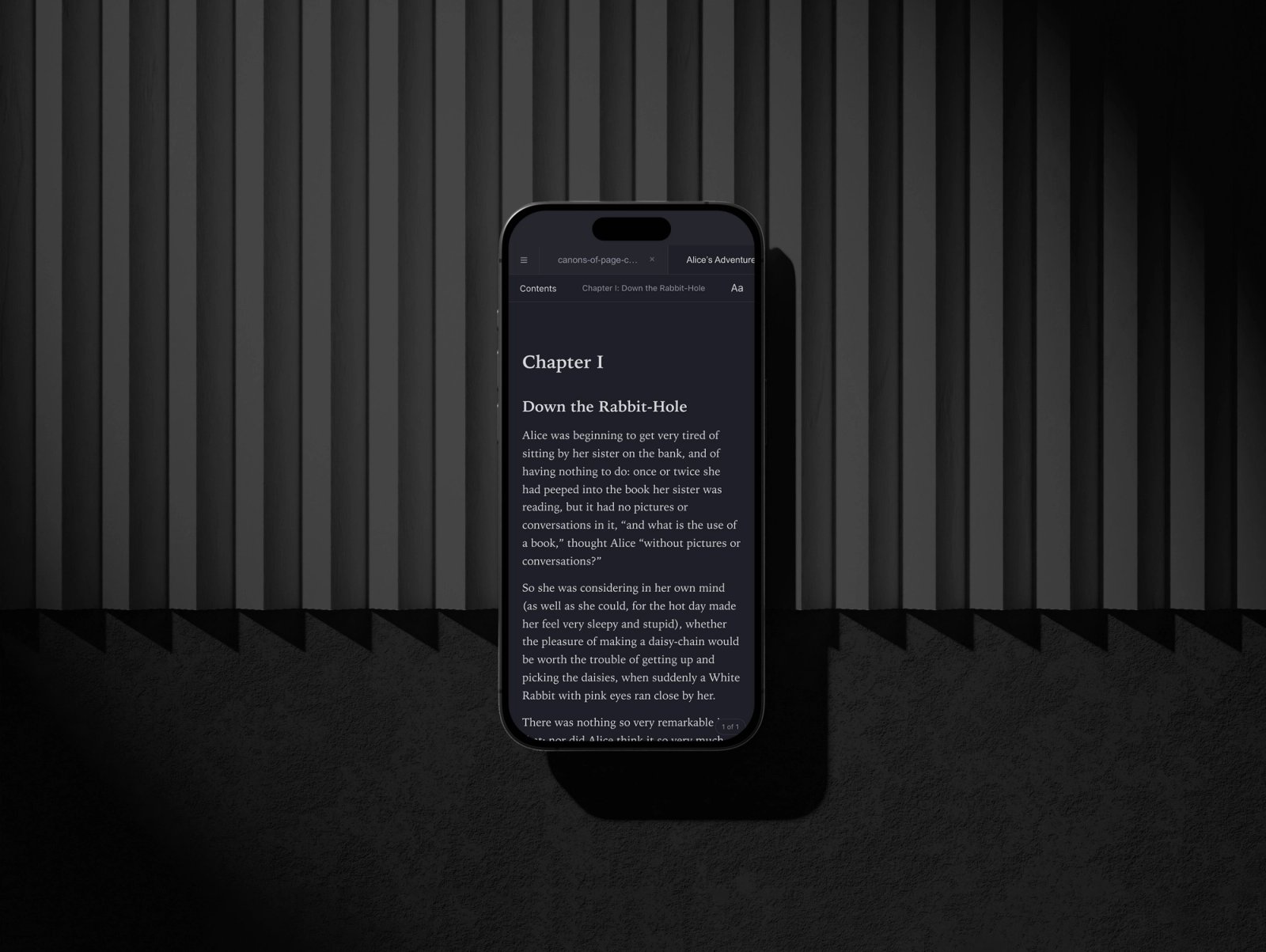
PDFs open beside your notes, scans included. EPUB books open a chapter at a time in your own type, with settings for size, font, spacing, margins and page color, and each book remembers your place.
Iteration & Refinement
Every save is checked first
Before a file becomes editable, Glyph renders it, asks what it would write back and compares the two. On 264 of my real files, 248 opened editable and the other 16 stayed protected on the page, open in the raw view.
One interface, from Mac to phone
The whole interface is one HTML file, and each platform is a thin native shell around it: Mac, Windows and Linux, a single self-contained file for any browser, and a server that brings a folder to your phone.