Română
Transcript Desk - Video Research
Transcript Desk turns video into research material. Paste a link and you get a timestamped transcript, a summary and a research pack of claims to check, all kept in a searchable library on your own Mac. I designed and built it for my own research, then published it on GitHub.
VIEW ON GITHUB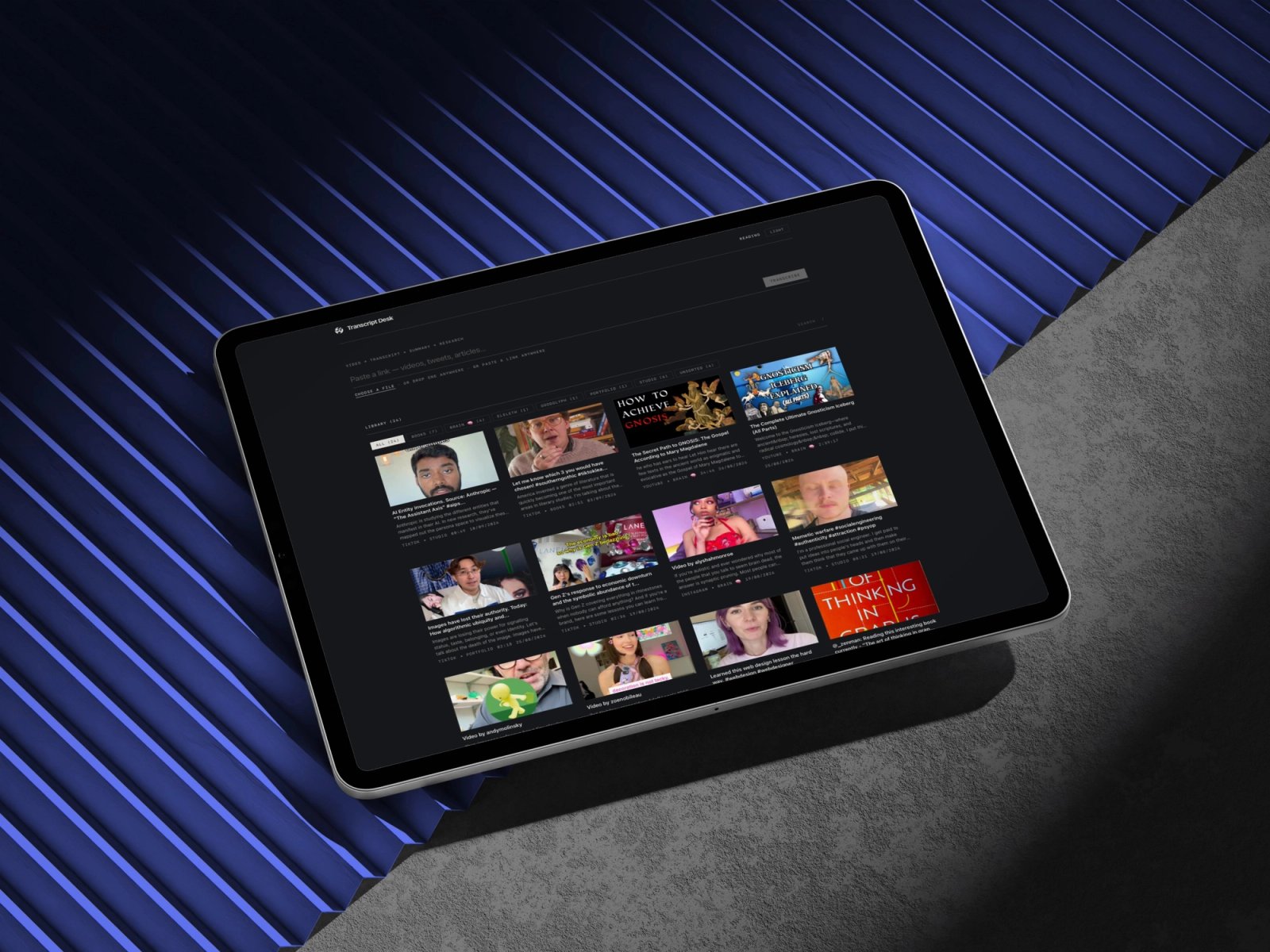
An hour of video for a minute of information
More and more primary research lives in video and podcasts: interviews, talks, hour-long discussions you need three claims from. You scrub, take notes by hand, lose the timestamp, and the transcript, if it exists, stays inside the platform holding the video.
Link in, working material out
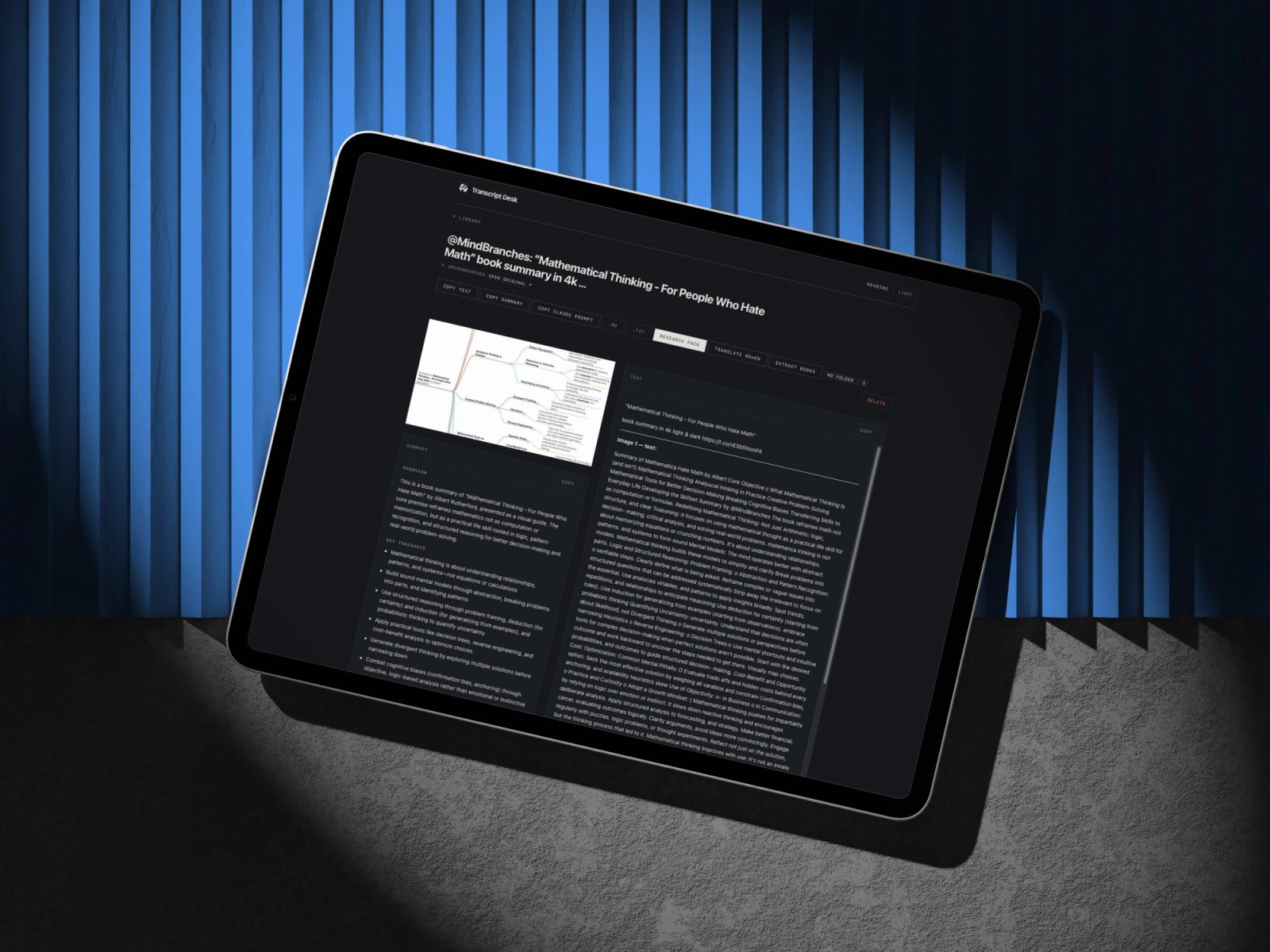
A local desk for the internet: give it a link, a file or a screenshot and it returns clean text with timestamps, a summary with chapters and a research pack. Transcription and the library stay on your Mac. The optional AI layer runs through Claude on the subscription you already have, with no API keys to set up.
Research & Definition
- 01Started from my own workflow: what I look for in an hour of video, and in what form I need it.
- 02Mapped the open-source field and found the gap: plenty of transcribers, no stored research pack.
- 03Built the pipeline: captions first, local Whisper when there are none.
- 04Added the research layer: summary, chapters, claims table and verification queries.
- 05Wrapped it as a Mac app with a small native shell, and opened it to the phone.
- 06Published the code on GitHub under an MIT license.
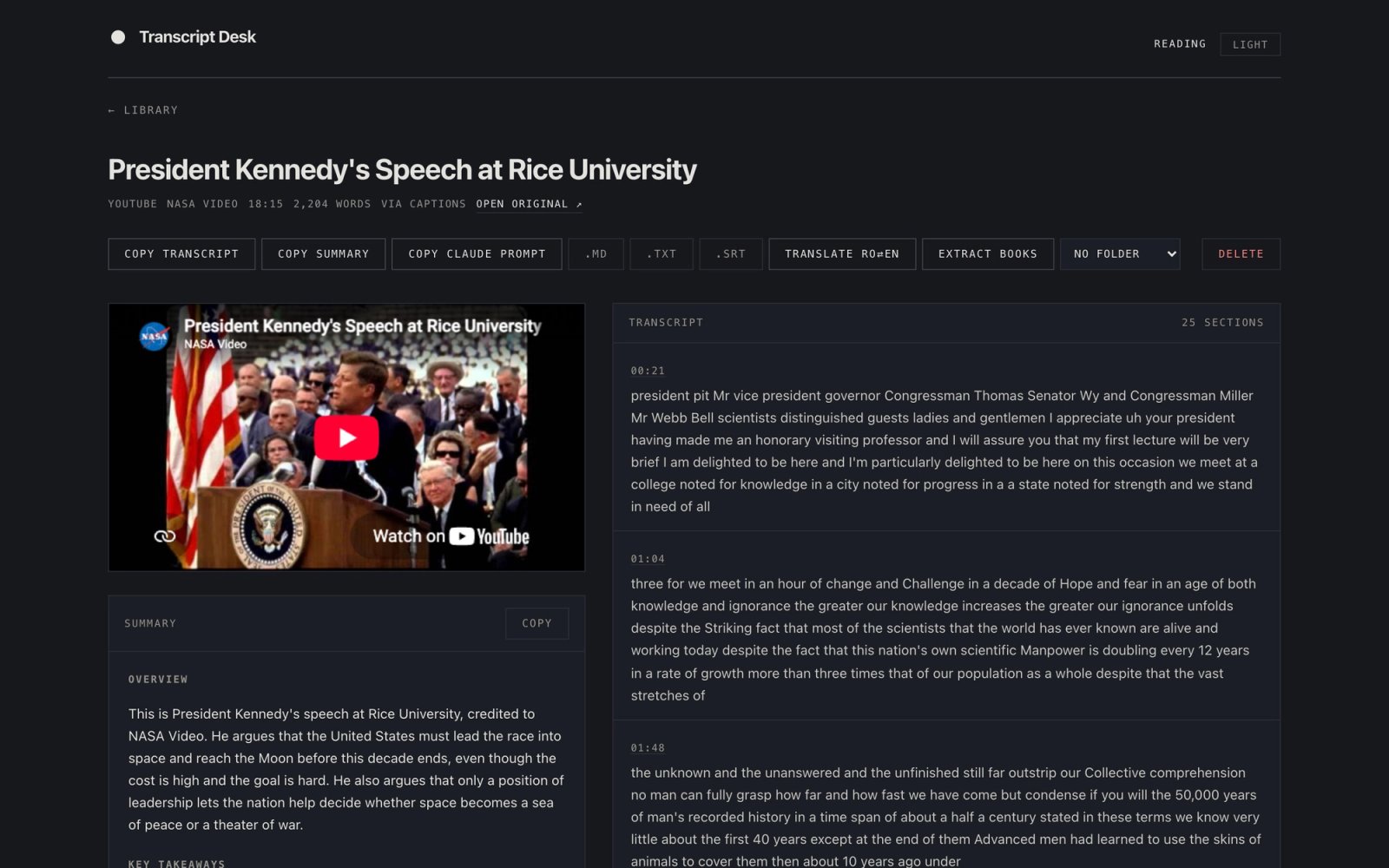
A monospace-led desk: timestamps, the transcript and the claims table align to the character.
Controls and labels, so the interface stays quiet around the material.
Anything with a link becomes a note
Paste a link to a video, a tweet or an article and it becomes a note. Video transcripts arrive with timestamps, from captions first and local Whisper when there are none, followed by a summary with chapters. Each timestamp links back to that second of the video, so the source stays one click away.
Every claim, ready to check
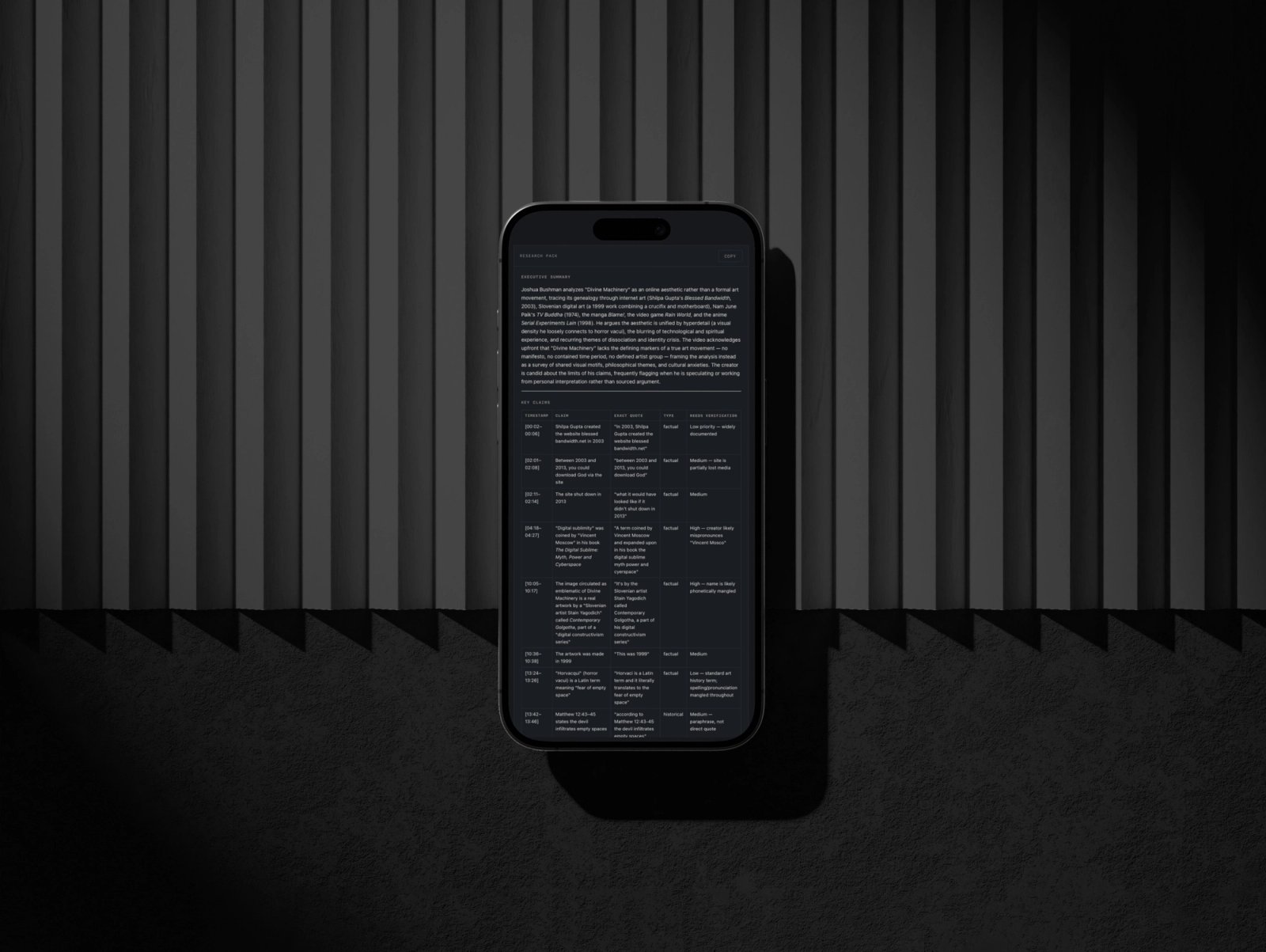
Any note can get a research pack on demand: an executive summary, a claims table with exact quotes, a fact, opinion and speculation split, and verification queries ready to search. Every claim keeps the second it was said, so checking starts at the source.
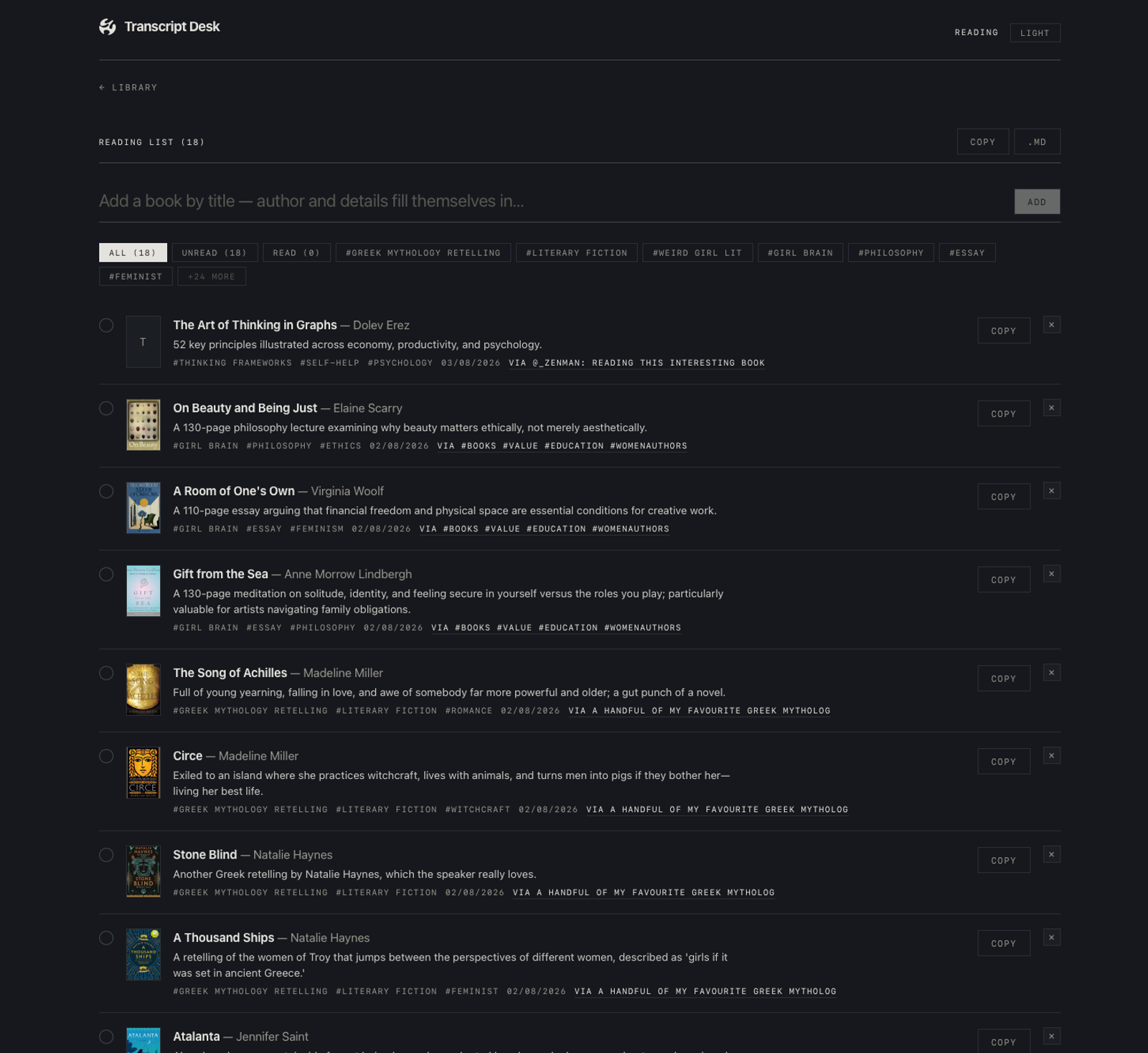
Every book mentioned, in one list
Books get their own section: add a title and the author, description and tags fill themselves in. From a note you've already saved, whether a BookTok video, a tweet or an article, the app pulls every book it mentions and keeps the source's own framing in the first tag. The list exports as Markdown.
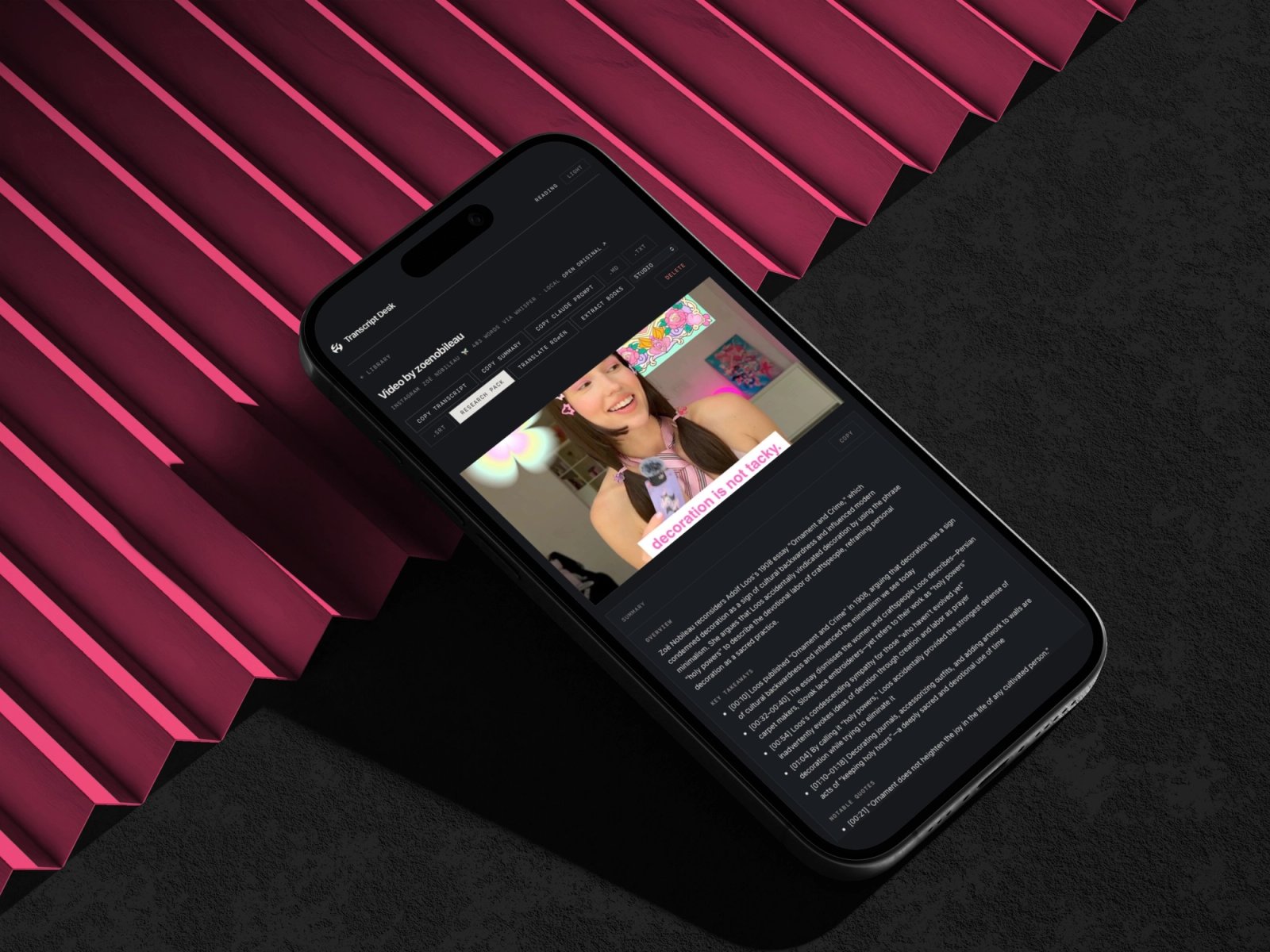
A library that follows you to your phone
Every note is also a Markdown file in your Documents, readable in Obsidian and built to outlive the app, and full-text search finds any line you've ever transcribed. Add the app to your phone's home screen and the phone becomes a live window into the Mac's library, with nothing to sync.
Iteration & Refinement
From iPhone app to Mac desk
The first brief was a phone-first iPhone app. The tools that do the work, yt-dlp and a 1.6 GB Whisper model, belong on a Mac, so the Mac became the engine and the phone opens the same library as a live window.
Plain files over a database
Every note is a JSON file with a Markdown mirror, so the archive stays readable without the app. The Mac app is a small native shell of about 200 lines around the same pages, which keeps it light.